Which renewal risk warrants action?
Usage, open tickets and the renewal date tell different stories. Weigh them against what the account team knows.
RevOps exampleYour people built the intelligence your company runs on. Nodes Engine puts it to work: it connects permitted records, such as CRM accounts and support tickets, and the judgment behind past decisions in a context graph your company keeps. It compares options with estimated costs and carries out the work your team approves. Nodes Connector connects your systems and verifies each integration. Nodes AI FDE configures and tests each workflow. Your team uses all three in the Nodes desktop app.
Links your CRM and other systems within current permissions.
Builds integrations and workflows, then tests them.
Approved changes and their later results return to your context graph as Decision Traces.
The three products do not require separate licenses or subscriptions. Pricing follows the agreed workflow, with no seat, user or token meter.
Before work begins, the business owner agrees sources, checking frequency and what each person and assigned agent may see, recommend and change.
Nodes Engine is the main product. It builds a context graph from your company’s records and the judgment of the people who work with them, then uses it to investigate problems and compare options. It carries out approved work across existing systems. Decisions and their measured outcomes become part of the graph. In the sample screen, Engine reads 30 open sales opportunities, finds two with a completed call but no next step, then drafts a follow-up task for each and holds both for review.
Swap models, LLMs and agents without starting over. Your company keeps its context graph and decision history, so a replacement can use the business rules and relationships already in place. Test each new model or agent on your own cases for task quality, latency, risk and total AI and human cost before it takes over.
Model choices and deployment →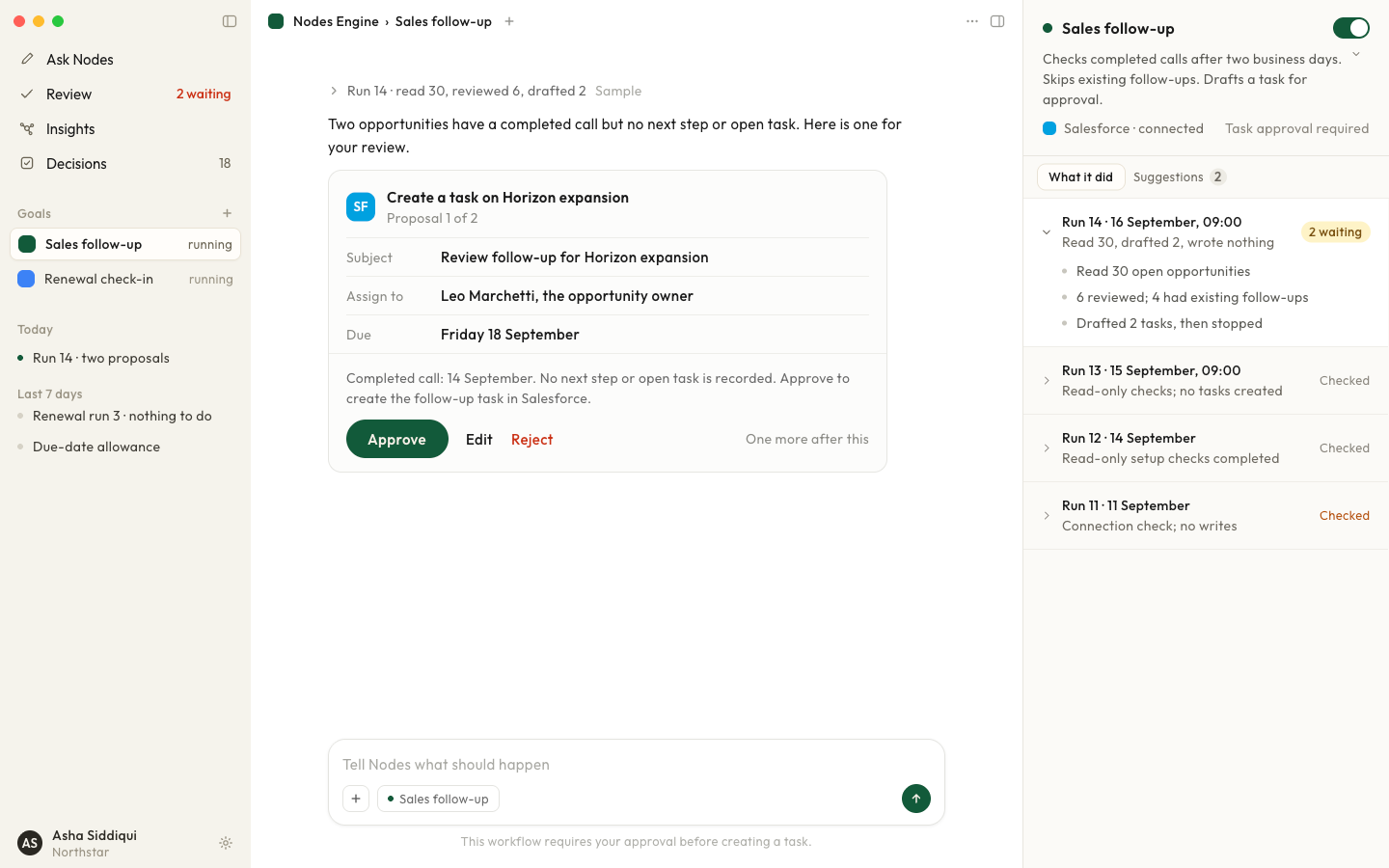
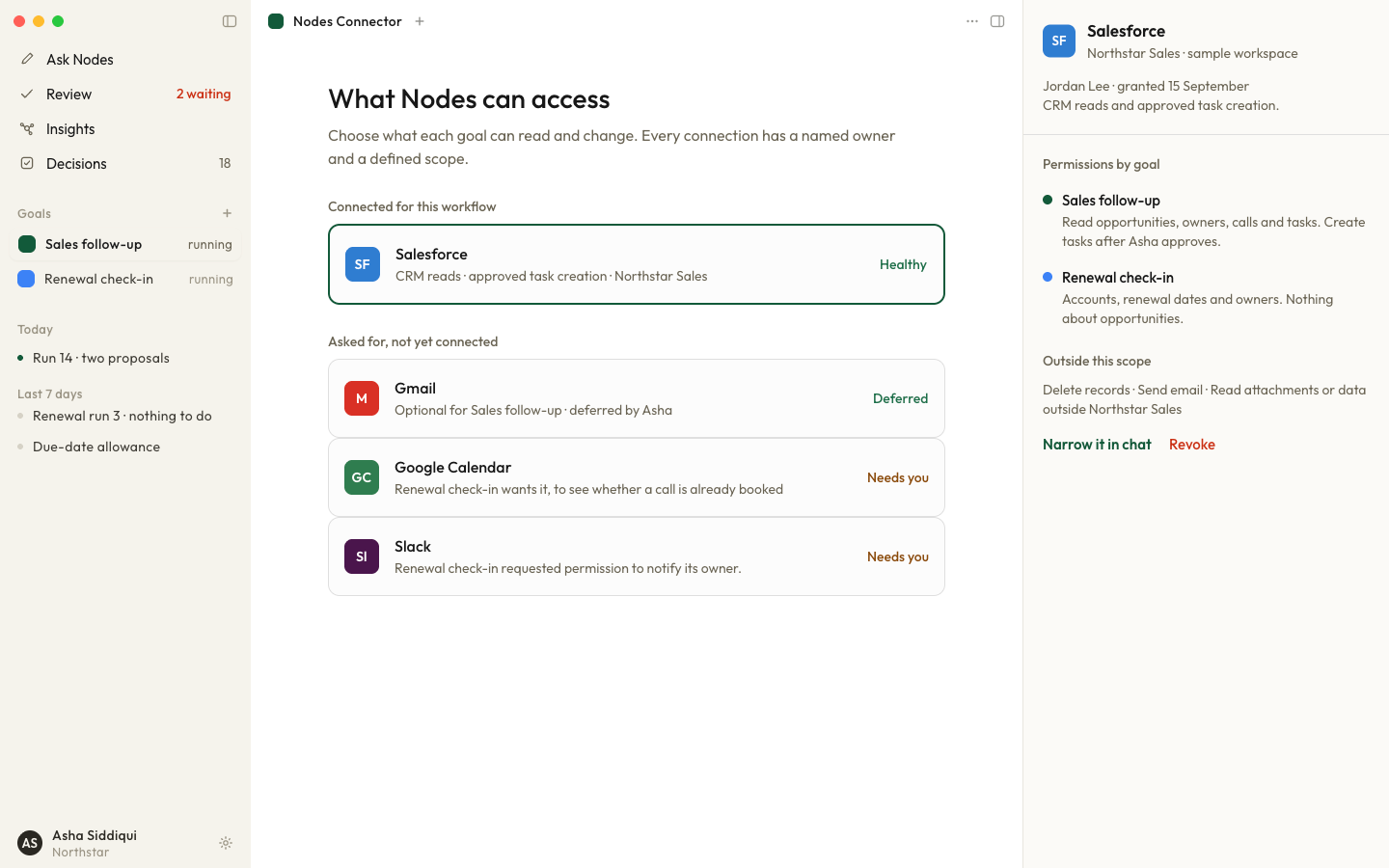
Nodes Connector links Nodes Engine to your CRM, HR system, document store and other software through their APIs or file exports.
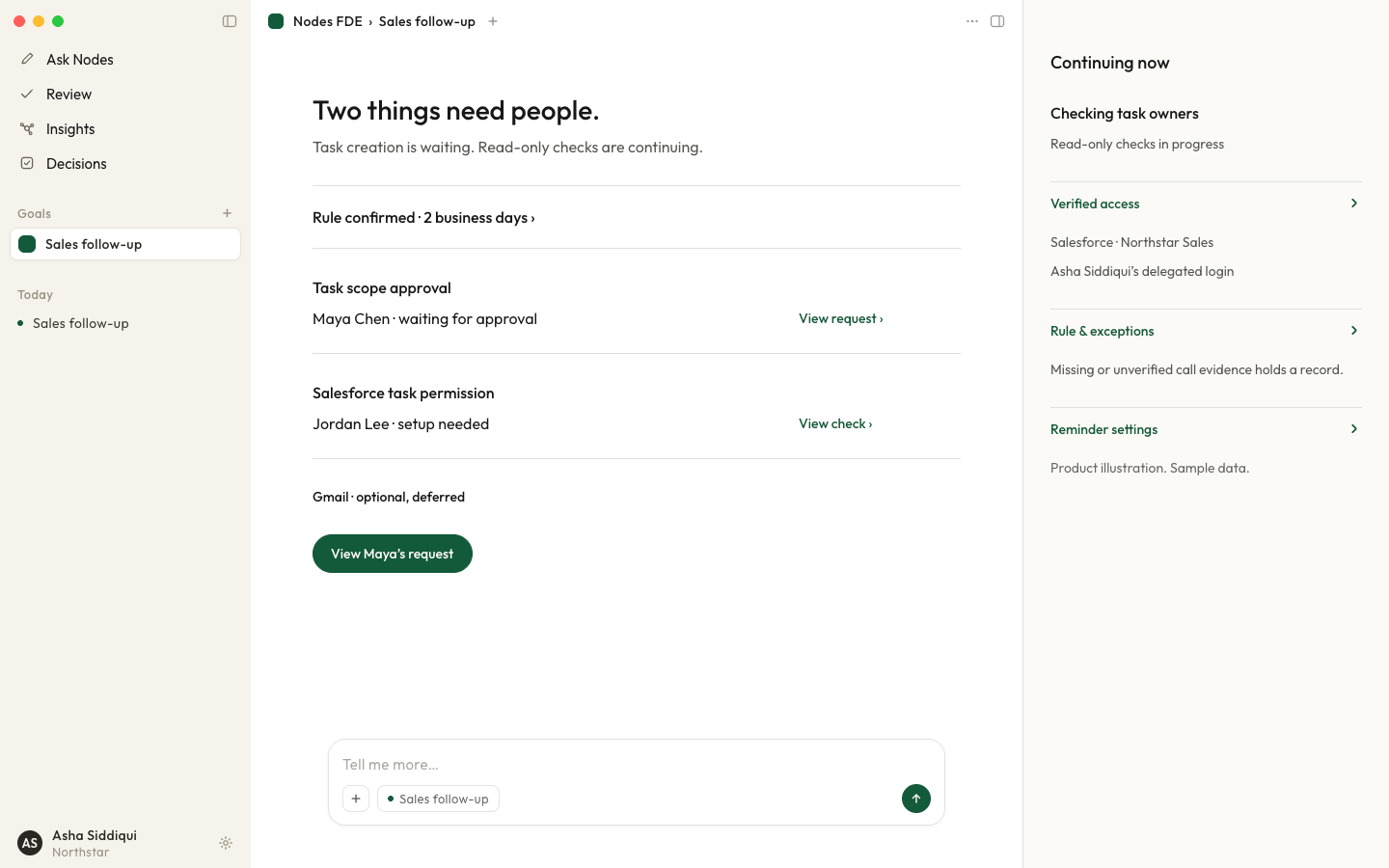
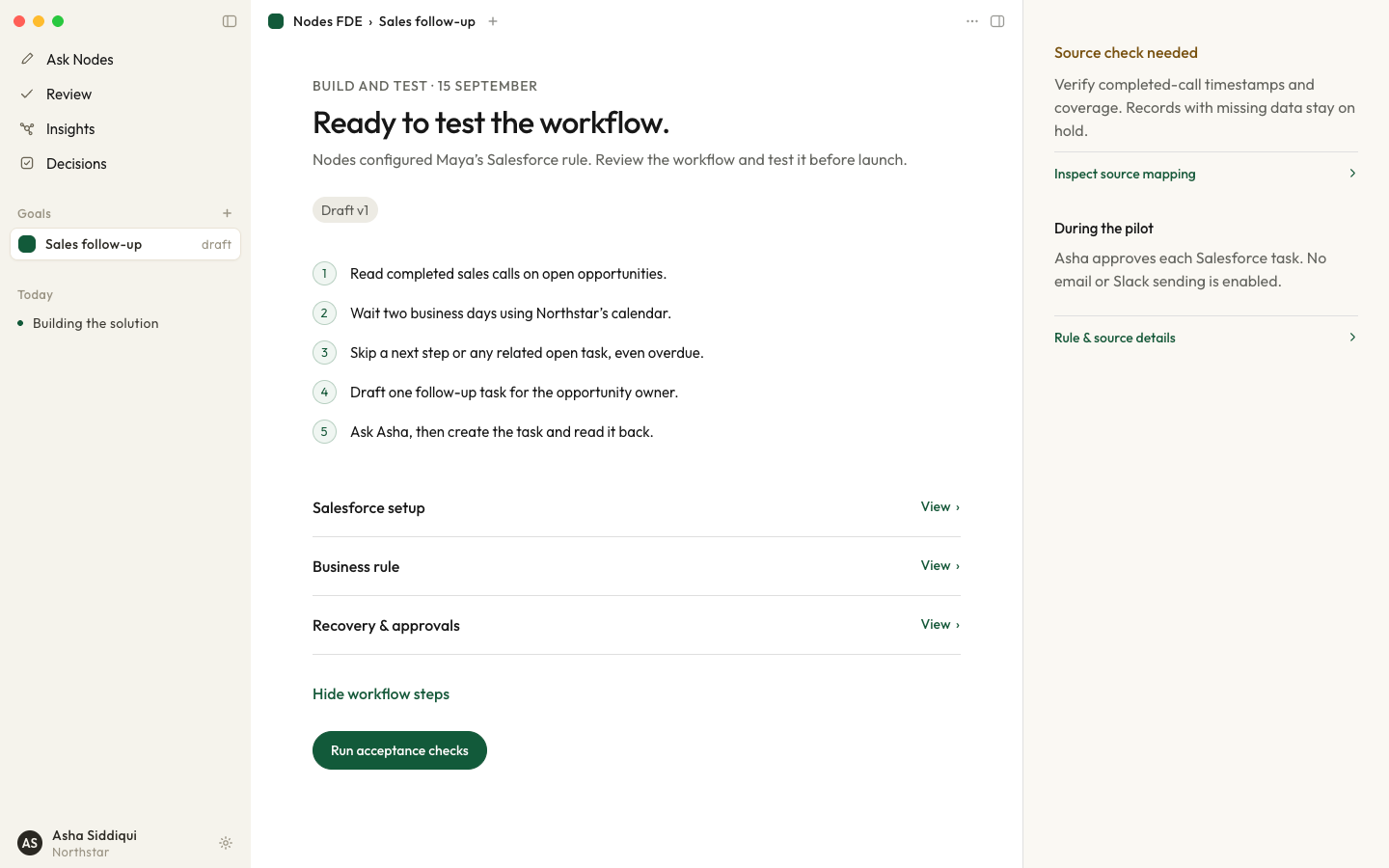
Nodes AI FDE is our AI forward-deployed engineer product. Give it a goal, such as making sure every completed sales call has a next step within two business days. The workflow goes live only after your system owners accept it.
Start from a question your team asks, or let Nodes check agreed sources at your chosen frequency and flag what changed. This fictional partner notice shows both paths.
See the operating loopA partner notice introduces site-access details. Nodes checks the current form and local guide at the company’s agreed frequency. The process owner confirms the missing requirement.
Check each source and its date, then add what the records miss. These questions come from our use cases.
Usage, open tickets and the renewal date tell different stories. Weigh them against what the account team knows.
RevOps exampleCompare clearer guidance, escalation or a process change, with estimated cost and effort. The owner reviews changes that need approval.
Customer support examplePractice with examples for your role, language and location, or ask an expert. The owner resolves exceptions and decides whether the guidance changes.
Employee development exampleKeep them where they help. Nodes is for a decision that spans several systems, draws on your team’s judgment and ends in approved work. Nodes Engine keeps the record of each decision in a context graph your company owns and acts only within the limits you set. You can build that layer yourself; budget for the team that runs it after launch.
How to compare AI tools for company knowledge Microsoft Copilot Studio comparison Build, buy or combine
Changes that need sign-off wait for a named person, who sees the evidence and can approve, edit or decline them. A declined proposal changes nothing. Routine steps run only within the scope you have already approved. Current permissions govern work; prior approval never expands them. You can pause the work or remove access. Failed and inconclusive results stay in the decision history.
An AI connector links an AI system to another piece of software. For example, it could read a permitted CRM record and create a follow-up task after the owner approves it; permission to read the record does not authorize editing it. Nodes Connector tests each read and action the agreed workflow needs.
An AI forward-deployed engineer is software that turns a business goal into a configured, tested workflow. For a sales follow-up goal, Nodes AI FDE confirms who reviews each task, lists the CRM access it needs and runs the agreed acceptance checks before production. People on our deployment team work alongside it, and your business and system owners still supply local requirements and review exceptions.
Yes. Your CRM, HR system or other app stays the system of record. Nodes Engine reads permitted records from it and writes back approved changes through connections that Nodes Connector has tested. Each read and action depends on what that system supports and permits.
Yes, where the configured connection and your permissions allow it. Nodes can show permitted evidence and recommendations, and send approved updates, in a connected application. Your team also uses the Nodes desktop app to investigate and review work. Confirm what the connection can read, change or show inside each app.
We show how Nodes would approach it, which records it would need and who would approve the work. No company data needed for the first conversation. The first decision brief is a separate paid analysis of your own data, on written terms agreed before payment.